
How to Choose an Offline iPhone Voice Recorder with Transcription (No Subscription)
Most AI meeting recorders upload your audio to cloud servers and meter transcription by monthly minutes. If you want an iPhone recorder that transcribes locally without a recurring subscription, here are the four criteria that actually matter—and how the main options compare.
Published by FrameMemo. Feature details for third-party apps reflect their published documentation.
4 things to check before buying an “offline” transcription app
- Truly on-device vs. “records offline, uploads later”: Many apps let you record without Wi-Fi, then upload the audio to cloud APIs as soon as you reconnect. Check whether transcription, titles, summaries, and search actually run on the iPhone itself.
- No monthly minute caps or hidden subscriptions: Because on-device inference uses your iPhone’s own silicon instead of metered servers, a local app does not need a recurring monthly fee for core transcription.
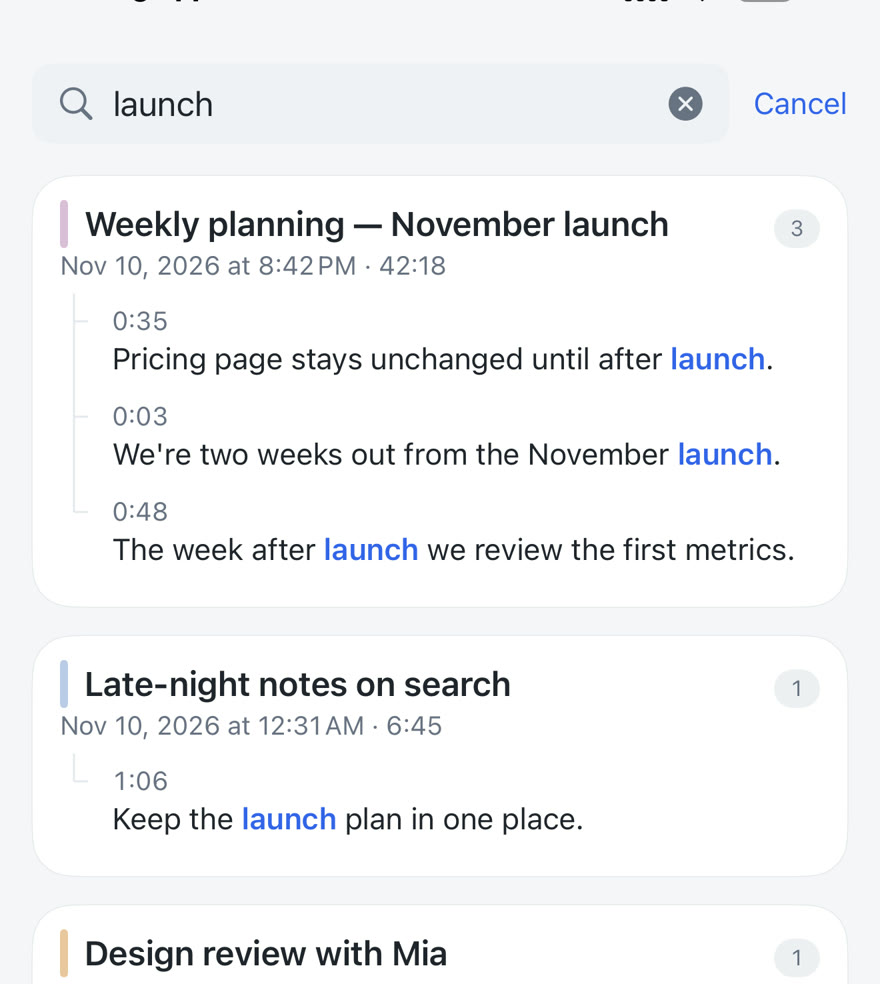
- Timestamped search & playback: A raw wall of text is hard to verify. Look for search across all recordings that jumps directly to the exact second in the audio.
- Context beyond audio: In real meetings and lectures, half the information is on a whiteboard or slide. Keeping photos attached to the recording avoids digging through a separate Photos app later.
Comparing iPhone voice recorder approaches
| Option | Pricing | Where transcription runs | Best fit |
|---|---|---|---|
| FrameMemo | $9.99 one-time (no subscription) | On-device (recording, transcription, local summaries & search) | In-person meetings & lectures with whiteboard/slide photos, local summaries, optional BYOK Ask AI, and Claude Code MCP on Mac. |
| Apple Voice Memos | Free (built into iOS) | On-device on supported iPhones & languages | Simple voice notes and basic searchable audio when you don’t need attached whiteboard photos or automatic summaries. |
| Cloud AI apps (e.g., Otter.ai) | Free tier (300 min/mo) + monthly subscription | Cloud servers (account required) | Remote Zoom/Meet/Teams calls where you want an automated bot and shared cloud team workspaces. |
| Hardware AI recorders (e.g., Plaud Note) | Dedicated hardware + starter/monthly plans | Cloud servers (account required) | Users who want a standalone physical button separate from their iPhone and cloud web sync. |
How FrameMemo handles offline privacy & optional AI
FrameMemo is designed so you never have to create an account or pay a monthly subscription. Core recording (including background recording when your iPhone is locked), transcription, automatic titles, local summaries (after a one-time ~700 MB model download over Wi-Fi), photo attachments, and transcript search all stay on your device.
If you later want conversational Q&A across recordings, you can optionally configure Ask AI with your own OpenAI-compatible API key, or pair your iPhone with Claude Code on Mac via MCP over your local network. Both features are off by default, ask for explicit permission before sharing text, and never send audio or photo files.
Explore detailed comparisons
FrameMemo vs. Apple Voice Memos
Read our iPhone 15 on-device ASR benchmark (WER, speed, RAM, battery)